

A lightweight and scalable graph database virtual machine on Ubuntu 26.04 Minimal optimized for connected data, analytics, and cloud-native workloads.

Effortless installation. Ready-to-run with easy maintenance. Explore now for a smooth experience!
Configuring and connecting to Graph Database VM on Ubuntu 26.04 Minimal
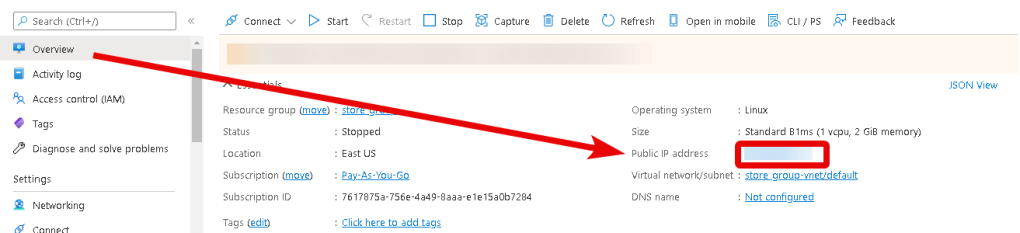
- After purchasing and starting the VM, you should know its IP address. You can find it in your Azure personal account. You need to select the virtual machine from the list. By clicking the item “Overview”, your IP is displayed in the line “Public IP Address.”
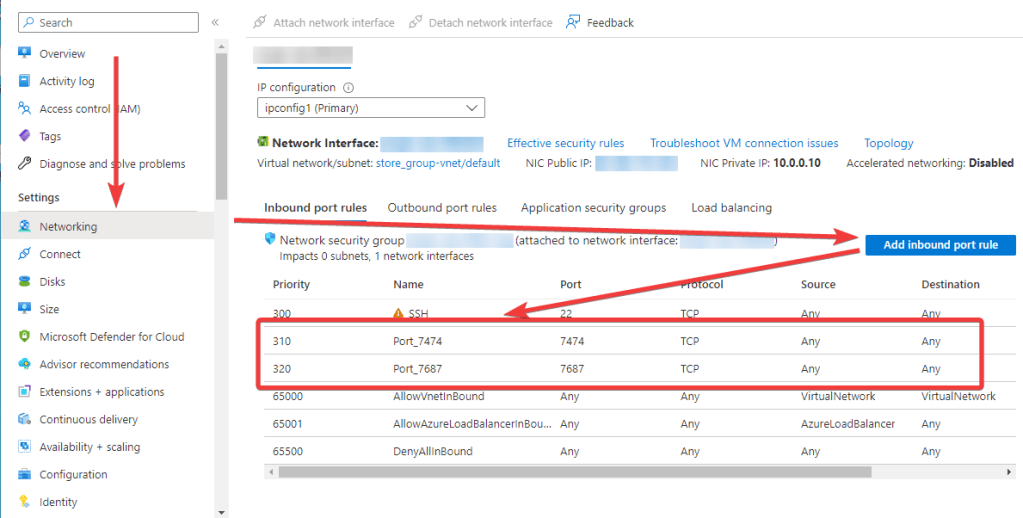
- To connect to Neo4j, you should open ports 7474 and 7687 TCP in the Azure network settings.
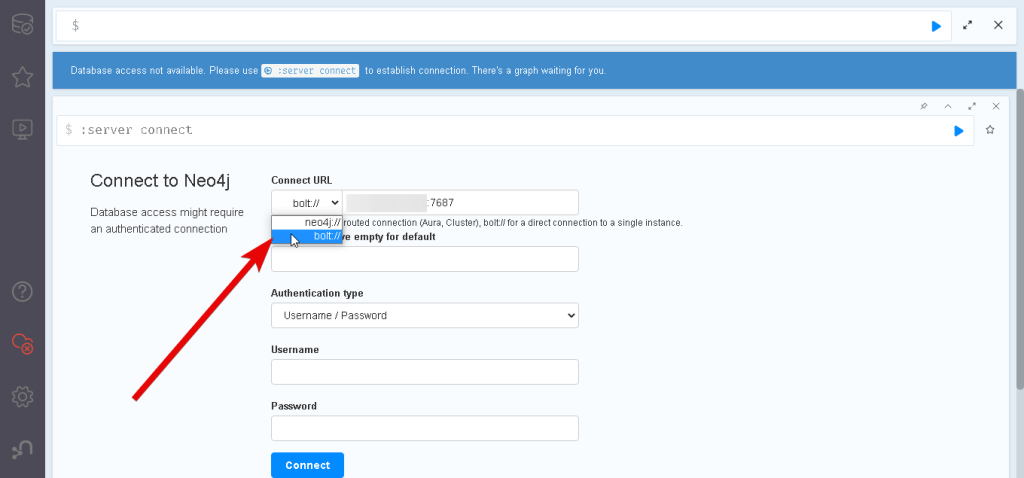
- Open a browser on your PC and go to the address of your VM http://VM_IP:7474 (from step 1). In the opened window, choose ‘Connect URL’ – bolt://VM_IP:7687
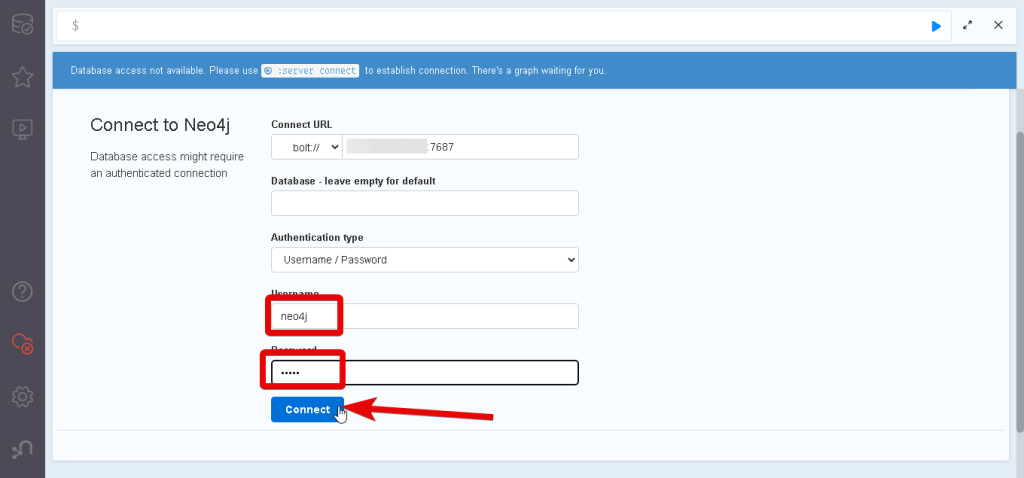
- Fill in username ‘neo4j’, and password ‘neo4j,’ and click ‘Connect.’
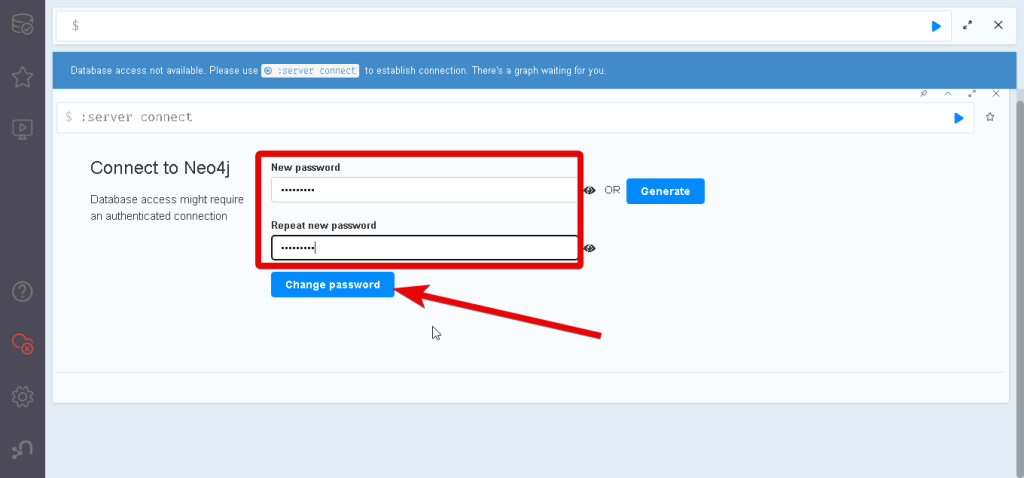
- After the connection, you must change the password.
- Now you can configure your server, create new databases, synchronize with the Neo4j browser, and more.
More detailed instructions can be found at Neo4j Documentation.

