

AI Assistant for Microsoft Excel
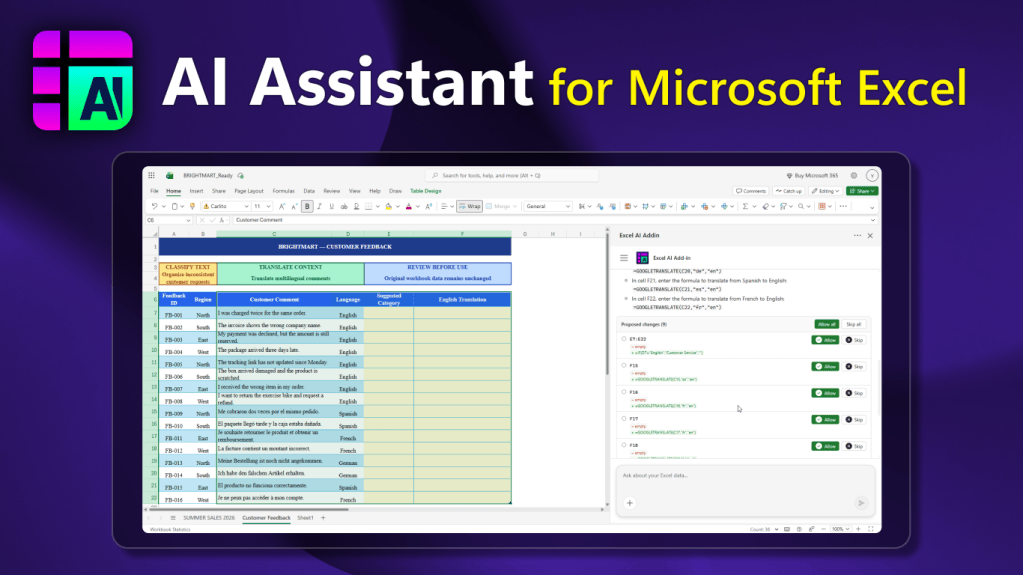
AI Assistant for Microsoft Excel brings the power of artificial intelligence directly to your spreadsheet workflow, helping you turn raw data into meaningful insights, accurate calculations, and actionable recommendations.
Whether you are preparing business reports, analyzing sales performance, reviewing financial results, comparing data across periods, or working with complex tables, AI Assistant for Microsoft Excel helps simplify your tasks and improve productivity.
Simply describe what you need in plain language, select the relevant table fields using the “+” button, or paste your data directly into the assistant. The AI analyzes the provided information and generates explanations, calculations, comparisons, summaries, and practical recommendations tailored to your request.
Designed for:
- Business professionals and managers
- Data and financial analysts
- Accountants and finance teams
- Students and researchers
- Anyone who works with Excel spreadsheets, reports, and calculations
Why choose AI Assistant for Microsoft Excel?
- Data Analysis – Identify trends, patterns, anomalies, and key insights in your selected data.
- Formula Assistance – Generate Excel formulas and understand how they work with step-by-step explanations.
- Natural Language Calculations – Perform calculations by describing your requirements instead of manually building complex formulas.
- Data Comparison – Compare products, categories, regions, time periods, and other metrics to understand differences and changes.
- Clear Summaries – Turn complex tables into concise, easy-to-understand conclusions for reports and presentations.
- AI-Powered Recommendations – Receive practical suggestions and insights based on the data you provide.
How It Works
- Open your Excel workbook.
- Select the relevant cells or table fields.
- Describe your task in natural language.
- Review the generated analysis, calculations, formulas, and recommendations.
- Apply the insights to your work as needed.
Important Note
AI Assistant for Microsoft Excel does not automatically modify your workbook. It cannot directly change cell values, edit formulas, insert rows, or update worksheets. Instead, the add-in analyzes the data you select or paste and provides explanations, calculations, and suggestions for you to review and apply manually.
The companion website provides the same AI-powered analysis experience, allowing you to work with your data both inside and outside Excel.
Work Smarter with Excel
Spend less time searching for formulas, interpreting complex spreadsheets, and comparing data manually. Let AI Assistant for Microsoft Excel help you uncover insights, simplify calculations, and make better-informed decisions.
Get started with AI Assistant for Microsoft Excel today and make spreadsheet analysis faster, easier, and more productive.
This add-in uses artificial intelligence (AI) to generate Excel formula suggestions, data insights, and workbook edits. AI-generated content may be inaccurate – please review all suggestions before applying them to your workbook. The assistant is designed specifically for Microsoft Excel tasks; if your question is unrelated to spreadsheets or data analysis, it will redirect you to a more suitable tool. If you need more information, come across any objectionable AI-generated content, or have any questions, please reach out to us at support@articentgroup.com.

